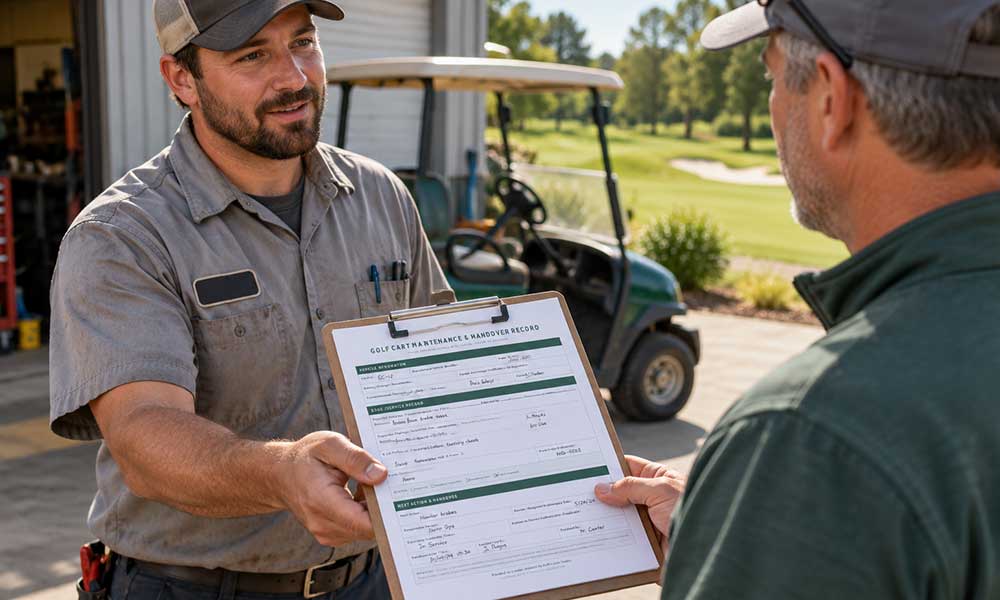
A cart can return to the maintenance area with a familiar complaint and still leave the next shift starting from scratch. Someone remembers the symptom, someone else remembers ordering a part, and the work order is sitting in a former employee’s inbox.
The problem isn’t necessarily a lack of effort. It’s that the information belongs to people instead of following the vehicle.
For superintendents and their teams, a useful maintenance record should quickly answer three questions: Which cart is this? What is known about its condition? Who owns the next action?
The solution doesn’t have to be complicated. A shared spreadsheet, maintenance-management system or even a well-organized paper binder can support the process. The important thing is establishing one dependable record and a consistent way to update it.

Give Each Cart a Stable Identity
Start with an internal fleet ID that the team can locate easily and cross-reference it with the manufacturer’s vehicle identifier. Record the make and model separately. A nickname or parking position can help someone find a cart, but it shouldn’t be the only link between the vehicle and its history.
Keep an equipment section for the installed battery, charger and any relevant modifications. When equipment changes, add a dated entry rather than simply overwriting the history. This preserves the context of earlier work without making an old configuration appear current.
Separate a Report From a Finding
An operator’s report should describe what was observed and when. Include circumstances the operator can reliably provide, such as the task underway or an indicator that appeared. Preserve the distinction between those observations and any diagnosis made later.
A separate inspection entry should identify the inspection date, the person or service provider responsible, the findings and the related work-order reference.
Record repairs in another field, along with their completion date and supporting documentation. This makes it easy to see whether an issue has simply been reported, inspected or addressed.
Make Status and Responsibility Explicit
Use a small set of statuses everyone on the team understands, such as reported, awaiting inspection, awaiting parts and work completed.
Track operating availability separately according to the facility’s established procedures. “Parts ordered” doesn’t tell the next shift whether the cart is available for use.
Give every open item an owner and a next action. A date can represent either an agreed-upon review date or a required maintenance date, so label it accordingly.
Maintenance intervals should come from applicable manufacturer guidance and operating conditions rather than treating a generic spreadsheet reminder as a service specification.
The record should also identify who is authorized to confirm a return to service under the facility’s procedures. Completing an administrative field is not, by itself, a technical release.
Keep the Documents Reachable
Store current manuals, inspection records and service invoices in an organization-controlled location. Reference the appropriate vehicle, battery and charger documents, including their model coverage and revision where available.
When equipment changes, make sure historical documents are clearly distinguished from current ones.
And check something simple but important: Can the people covering the next shift actually access those files?
A link to an individual employee’s personal drive may fail just when responsibility changes. For a paper system, name the binder and section rather than simply writing “see office.” Where practical, keep accessible copies of essential documents as well as manufacturer links.
Use the Record During the Handover
At a shift change, review open items and operating status together. Confirm the next action and responsible person for each unresolved issue. Record the handover time and any correction, preserving the earlier entry where the system allows it.
When someone joins the team, use one actual vehicle record to demonstrate how reports, inspections, work orders and status changes connect.
When someone leaves, transfer ownership of open items and check document access.
These small steps make the record part of daily operations instead of an archive someone consults only after a problem comes back.
Put It Into Practice
A maintenance and handover record doesn’t need to be complicated. The goal is to make it short enough that the team will actually use it, but complete enough that the next person can pick up where the previous employee left off.
To make that easier, Golf Course Trades has created a printable Golf Cart Maintenance & Handover Record based on the administrative fields outlined in this article.
The form provides space for vehicle identification, reported symptoms, inspection information, work performed, outstanding parts or questions, operating availability, next actions and shift handover information.
Use it as a starting point and adapt it to your facility’s procedures, manufacturer guidance and operating needs.
Download the Free Golf Cart Maintenance & Handover Record
The Golf Cart Maintenance & Handover Record is intended as an administrative maintenance and handover tool. It is not an inspection checklist, maintenance schedule or substitute for manufacturer service guidance or your facility’s established procedures.
Contributed by DLR Golf Carts
Visit DLR Golf Carts for more information.